Real context.
Useful constraints.
A complete brief for this working fictional example.
TASK AND PERSON
A mobile project lead needs frequent destinations nearby while still reaching team, reports and settings.
DESIGN AND CONTENT
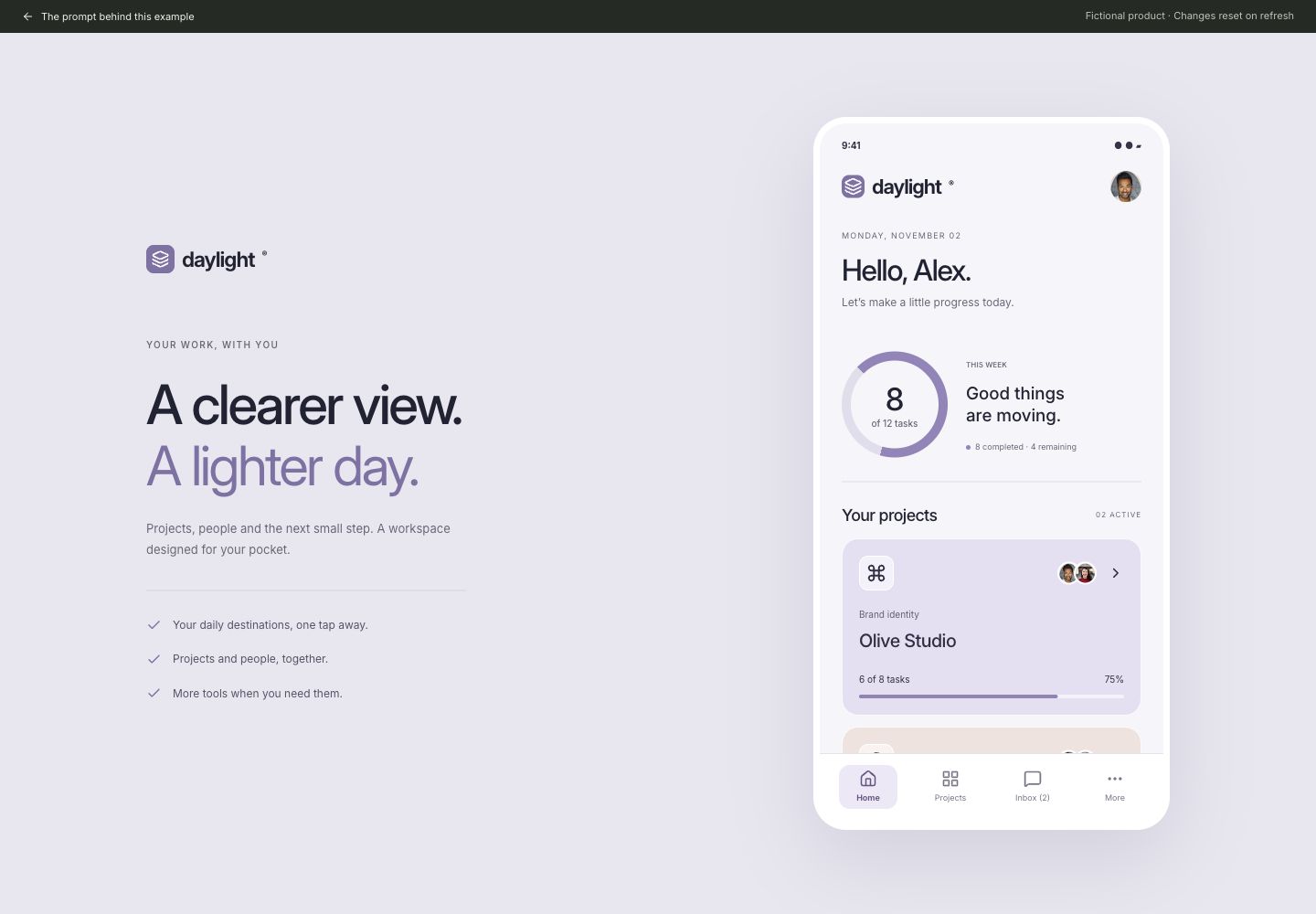
Build a mobile workspace called Daylight inside a polished responsive presentation. On desktop, pair one 390 × 780 px phone with the heading A clearer view. / A lighter day. and three short benefits; keep each headline phrase on one line. Study the credited Paperpillar mobile project-management reference. Use a lavender presentation canvas around a native-width light app, Inter typography, lavender and peach rounded project cards, a circular 8-of-12 task progress graphic, real bundled Joseph Gonzalez and Michael Dam portraits for fictional collaborators, readable project rows and a bottom navigation with Home, Projects, Inbox and More. Home shows weekly progress, two tappable project cards and an upcoming meeting. Projects shows the two cards without the Home summary. Each card opens a project-detail dialog with task counts and next steps. Keep destinations Home, Projects, Inbox, Team, Reports and Settings accessible.
BEHAVIOR AND STATES
Home, Projects and Inbox change the content and selected state. Use a fixed-height phone viewport with independently scrolling destination content and a persistent bottom navigation. More opens a panel above the navigation containing Team, Reports and Settings. Selecting a secondary destination closes the panel, marks More active and shows the chosen destination. All destinations have useful local content, not dead links. Active state uses icon, label, background and aria-current; unread count is text.
DELIVERY
Deliver a working responsive web interface, not a static image. Use local fictional data and in-memory state. No authentication, analytics, remote data requests, payments or persistent storage. Serve any bundled fonts and images locally. Include an obvious return-to-prompt link and clearly identify this as a demonstration. Keep every visible navigation item or action useful; do not add decorative fake controls.
ACCESSIBILITY AND RESPONSIVENESS
Use semantic headings, labelled inputs and real buttons. Touch controls must be at least 44 px high. Provide visible keyboard focus and announce updates with a status region. Do not rely only on color. Dialogs need a visible title, Escape dismissal, focus containment and focus restoration. At 390 px, preserve the reading order and all actions without horizontal page overflow. Respect reduced motion.
ACCEPTANCE
On desktop and a 390 px phone, complete the primary task described above, exercise an invalid or empty state, recover without losing unrelated inputs, and restore its initial state using the reset control where provided, or by refreshing. Verify displayed calculations and selected states against the fictional data. Report exactly what was checked; do not claim usability improvements or reliable independent regeneration.
ASSETS AND OPTIONAL VISUAL REFERENCES
Bundled assets: /images/patterns/assets/portrait-joseph-gonzalez.avif, /images/patterns/assets/portrait-michael-dam.avif. If building outside this repository, supply those files with the prompt or use suitable licensed replacements. Draw the described product artwork in code. The written requirements define the scope; reference links are optional visual context.
Paperpillar: https://dribbble.com/shots/26670030-Project-Management-Mobile-App-UI
Joseph Gonzalez / Unsplash: https://unsplash.com/photos/man-wearing-white-v-neck-shirt-iFgRcqHznqg
Michael Dam / Unsplash: https://unsplash.com/photos/closeup-photography-of-woman-smiling-mEZ3PoFGs_k
Scroll to read. Copy includes the full prompt.Inputs, credit and review