Real context.
Useful constraints.
A complete brief for this working fictional example.
TASK AND PERSON
A freelancer setting up a workspace needs clear requirements and recoverable validation.
DESIGN AND CONTENT
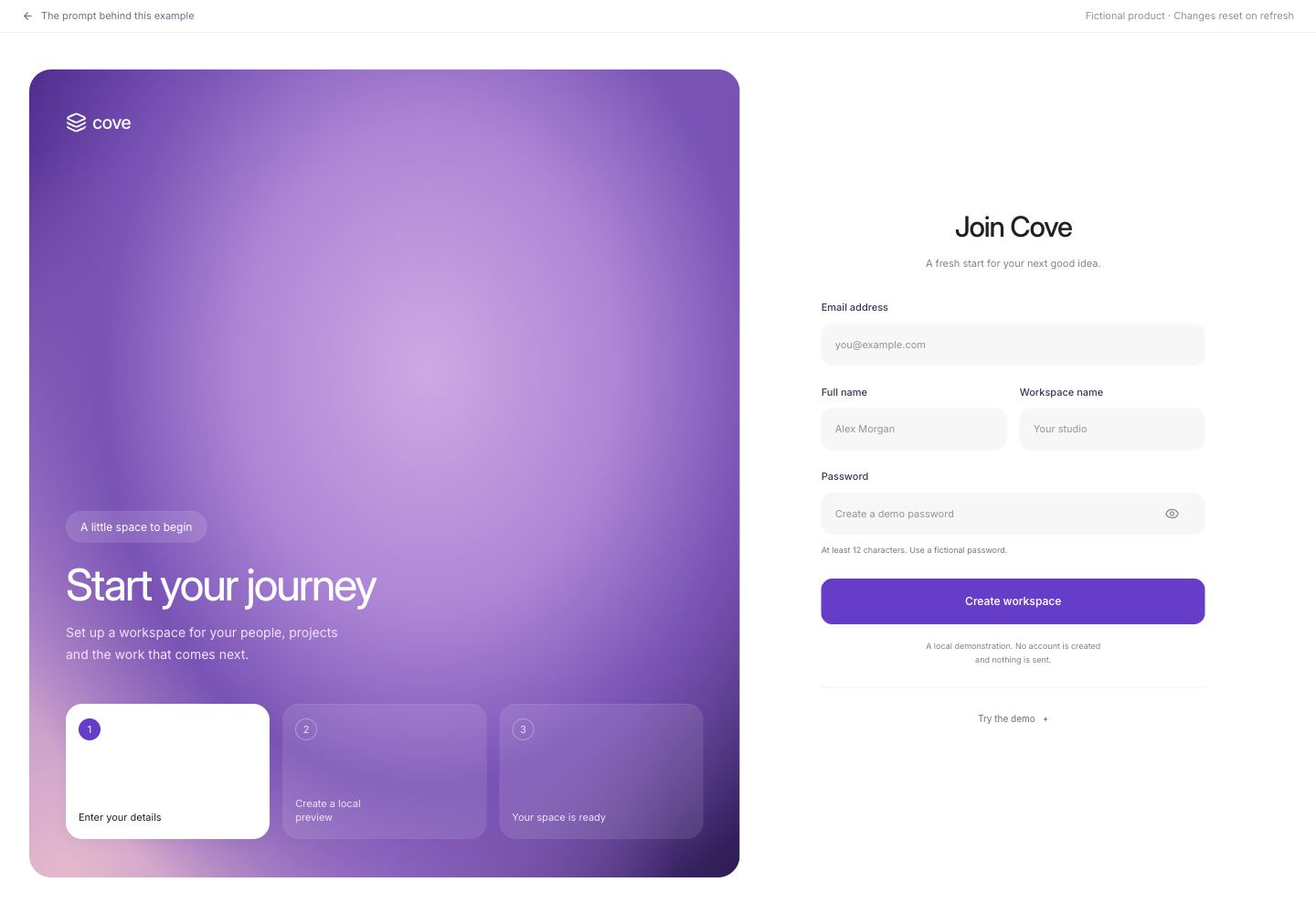
Build a workspace-creation screen for the fictional collaboration tool Cove using the user-supplied Ninth sign-up composition as optional visual context if provided. The requirements below define the interface without needing that image. Use a full-bleed white page with no charcoal presentation surround or rounded outer frame. Let the violet panel and form fill most of the viewport, with 32 px desktop side gutters and a 1600 px maximum width; use 20 px side gutters on phones. The left panel takes roughly 56% of the desktop content area, with rounded corners and a violet/soft-rose mesh made from layered CSS radial gradients, with deep plum at the edges. Put a small white Cove mark at the top, then a translucent pill, large Inter headline ‘Start your journey’, concise supporting copy and three equal step cards near the bottom. The current card is white with a violet numbered circle; upcoming cards use translucent violet glass. The three local stages are Enter your details, Create a local preview and Your space is ready; update the highlight during pending and completion states. Use Inter throughout, without serif headings or isometric artwork. The white right panel centers a compact form headed Join Cove. Email spans the full width; Full name and Workspace name share one row; Password spans the full width and has a show/hide control. Use pale #f7f7f7 rounded fields with quiet borders, persistent labels and a violet #6d3bd1 primary action reading Create workspace. Show the 12-character password rule before submission. Keep sample fill and simulated failure controls in a Try the demo disclosure below the form. On phones stack the violet panel above the form, retain the three compact step cards and avoid horizontal overflow; collapse the two-column input row on very narrow screens. Do not add phone collection, Google sign-in, legal acceptance, payments or actual account creation. No runtime assets are needed for this example
BEHAVIOR AND STATES
Reject empty names, malformed email and passwords shorter than 12 characters with a focusable error summary and field-level errors. Preserve all input after errors. A labelled demo control fills fictional valid values. Submitting valid data shows a pending state then a local confirmation. Provide a recovery action for simulated submission failure and a way to edit the workspace again.
DELIVERY
Deliver a working responsive web interface, not a static image. Use local fictional data and in-memory state. No authentication, analytics, remote data requests, payments or persistent storage. Serve any bundled fonts and images locally. Include an obvious return-to-prompt link and clearly identify this as a demonstration. Keep every visible navigation item or action useful; do not add decorative fake controls.
ACCESSIBILITY AND RESPONSIVENESS
Use semantic headings, labelled inputs and real buttons. Touch controls must be at least 44 px high. Provide visible keyboard focus and announce updates with a status region. Do not rely only on color. Dialogs need a visible title, Escape dismissal, focus containment and focus restoration. At 390 px, preserve the reading order and all actions without horizontal page overflow. Respect reduced motion.
ACCEPTANCE
On desktop and a 390 px phone, complete the primary task described above, exercise an invalid or empty state, recover without losing unrelated inputs, and restore its initial state using the reset control where provided, or by refreshing. Verify displayed calculations and selected states against the fictional data. Report exactly what was checked; do not claim usability improvements or reliable independent regeneration.
ASSETS AND OPTIONAL VISUAL REFERENCES
No external images are needed; create the described surfaces and graphics in code. The written requirements define the scope; reference links are optional visual context.
User-supplied Ninth sign-up design; original creator unverified — supplied reference image, if available
Scroll to read. Copy includes the full prompt.Inputs, credit and review